top of page

1. Select"Withdraw".

2. Insert Withdraw Amount and Click "Submit".

3. Enter 6-digit Payment Pin.
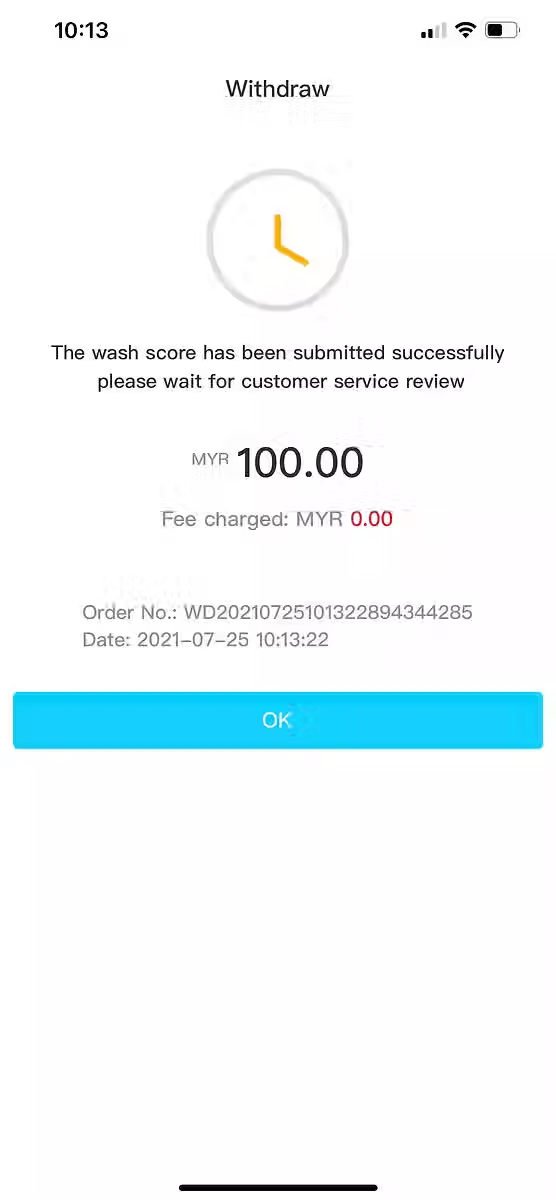
4. Wait for Approval.

1. Click “Me”.
2.Click “Recharge / Withdraw”.

3.
Click “Switch to USD Currency”.
(If it's already in USD, there's no need to exchange.)

4. Click “USDT Withdraw”.
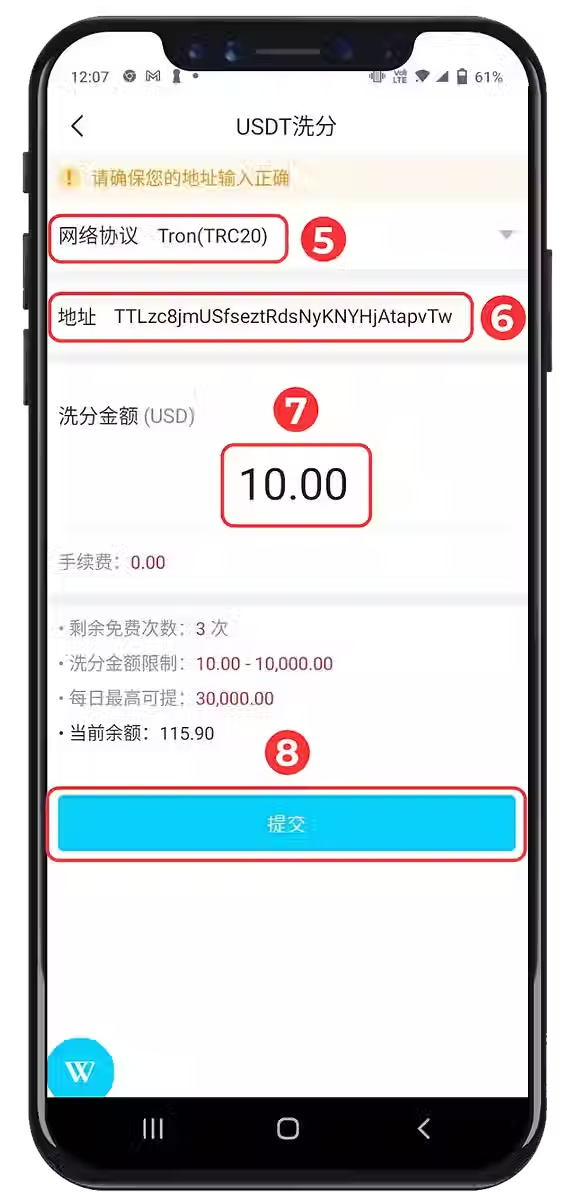
5. Select “Network Protocol”.
6. Enter “USDT Address”.
7. Enter “Withdrawal Amount”.
8. Click “Submit”.

9. Actual “Chip Laundering Amount”.
10. Actual “Credited Amount”.
11. Copy “Note Function” to find detailed
*records on the virtual platform.
bottom of page